

Amazon Advertising offers enormous potential, but only if the advertising budget is used efficiently. Many companies face the question: how can the budget be controlled dynamically without losing control in the process?
In this article we would like to show you how you can control your advertising budgets in an automated and yet targeted way – with clearly traceable rules instead of opaque black-box algorithms. And how a tool such as PPC-Butler helps you to reconcile efficiency, transparency and control.
Starting point: rigid budgets or opaque automation?
Many advertisers use fixed daily budgets or leave the control to external systems that are based on machine learning. Both approaches carry risks: either the budget remains inflexible despite changing performance – or it is changed automatically without it being clear why.
The consequence: advertising budget flows into unprofitable campaigns, while well-performing campaigns are not scaled sufficiently. Even more problematic: manual readjustment is often not possible, because the tools keep steering in the direction they consider sensible. That means you lower the budget and in the next run the tool will undo your manual bid change and raise the budget again.
The solution: dynamic control through rules
A contemporary solution is offered by the combination of automation and defined decision logic. Rule-based systems such as PPC-Butler enable you to control your budgets precisely, based on clear, traceable criteria.
Example:
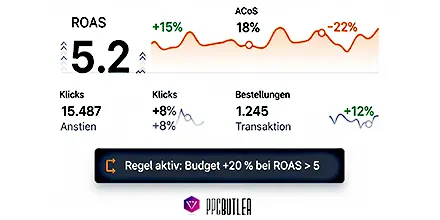
“Increase the daily budget by 20% if the ROAS of the last 3 days is above 5 and at least two orders have been placed.”
Or:
“Reduce the budget by 30% if a campaign has generated no orders over three days.”
Rules of this kind can be precisely defined, documented and adjusted at any time in PPC-Butler – without you being dependent on rigid automatisms.
Dynamics with a system: how to control professionally
Dynamic budget control does not mean arbitrariness. On the contrary: with clear rules you ensure that every budget adjustment is traceable, sensible and targeted.
- Increase budget when performance is strong
Example rule:
“If the ROAS is > 6 and more than five orders have been placed → budget +30%.”
This way you ensure that well-performing campaigns automatically receive more reach.
- Reduce budget when performance is weak
Example rule:
“If there are 50 clicks OR an ACoS > 60% → budget -25%.”
This prevents inefficient campaigns from continuing to claim budget.
- Time-dependent budget distribution
Use usage data to control your budget depending on the day of the week or the time of day.
Example:
“Mondays 08:00–12:00 → budget x1.2 / Fridays from 18:00 → budget x0.5”
This way you deploy budgets specifically at the times with the strongest sales.
Why machine learning tools often fail here
Many providers promise automatic optimisation via machine learning. In practice, however, this frequently leads to opaque decisions, particularly in the case of:
- seasonal fluctuations,
- new campaigns with little data,
- short-term market changes.
ML-based systems usually need long learning phases and react with a delay – with in some cases considerable effects on budget efficiency.
With a rule-based tool such as PPC-Butler, you rely instead on:
- Transparency in every decision,
- Flexibility through immediate rule adjustment,
- Efficiency, regardless of data volume or learning phase.
Practical example: rule-based control of a budget
A client project was about advertising a specialist book. The aim was to increase the budget automatically only on days with at least two orders and a ROAS > 4.
Solution with PPC-Butler:
- Definition of the target criteria
- Rule: “If ROAS > 4 AND orders > 2 → daily budget +20%”
- Activation of the rule – no further intervention necessary
The result: a transparent, economically sound control that can be traced at any time.
Conclusion: automation with a sense of proportion
Automated budget control does not contradict strategic campaign management – provided it follows clear rules. This is exactly what PPC-Butler offers you:
- Individually definable rules
- Full transparency over every decision
- Scalability without loss of control
You keep an overview at all times and can react flexibly to market changes – without dependence on algorithms that are hard to see through.
Try PPC-Butler free for 30 days – and experience how dynamic budget control works when automation and control go hand in hand.